Add Watermarks to Photos & Videos
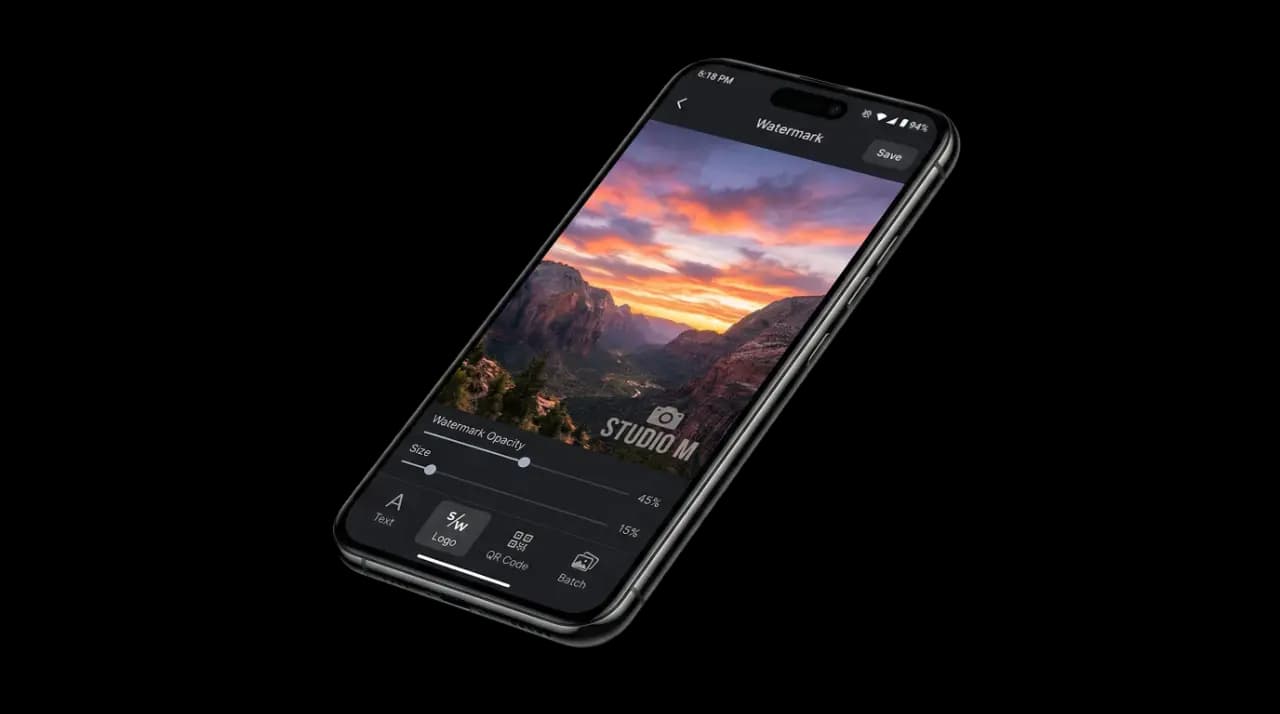
Protect your creative work with custom watermarks. Add a logo, text or a QR code to one photo, or to a whole gallery in a single batch.
Free to start · Available on Android & iOS
Everything you need to protect your content
Batch Processing
Apply one design across a whole selection of photos in a single run.
Video Watermark
Add watermarks to videos for social media, YouTube, and more.
Logo Watermark
Place your brand logo on every photo with precise positioning.
Text Watermark
Add custom text watermarks with 31 built-in fonts (10 free) and full styling control.
QR Code
Embed QR codes as watermarks linking to your site or portfolio.
Shot On Stamps
Add camera shot-on stamps showing device and settings info.
PDF Watermark
Watermark PDF documents for confidential or draft markings.
Social Media Presets
Optimized presets for Instagram, TikTok, YouTube, and more.
How it works
Choose your photos
Tap Image for a single photo, or Batch to pick a whole set from your gallery.
Customize your watermark
Pick a text, logo or QR watermark — one per export. Set its scale, opacity and which of the nine positions it sits in.
Export & share
Save watermarked photos or share directly to social media.
Shot On camera stamps take a different route: the Shot Ontile is a Premium feature that picks its own photo and fills the stamp from that file's EXIF, one photo at a time. You choose the style, the color theme, and where along the bottom edge it sits — except for the full-width Bar style, which always spans the frame.
Choose your plan
Frequently asked questions
Yes. Text watermarks, logo watermarks, tiling, the social media export presets and small batches are all free, and nothing the app adds to a free export carries our branding. Premium unlocks unlimited batch processing, video and PDF watermarks, QR codes, Shot On camera stamps, the full font library and an ad-free experience.
Yes. Batch mode applies the same watermark to a whole selection at identical scale and position. The free tier covers a few photos per batch so you can test the workflow on your own pictures; Premium removes the cap, so a full shoot goes through in one run.
Yes. Watermark Maker is on Google Play for Android and on the Apple App Store for iPhone and iPad, where the listing is called Watermark Kit – Photo Video PDF. Use the download buttons on this page to go straight to the right store; the features work the same on both platforms.
Yes. Pick Logo imports an image straight from your gallery. Place it on any of the nine position anchors, then set its scale and opacity, or switch from SINGLE to TILED to repeat it across the whole photo. Use a PNG with a transparent background — a JPG imports fine but brings its opaque rectangle with it.
No. Exports keep your original resolution unless you pick a different size yourself, and the export sheet is where you choose that: Original Size, one of the social media presets, or your own width and height in pixels. The presets never crop — your photo is scaled to fit and centered, so nothing gets cut off.
Yes! Premium users can add watermarks to videos. Overlay logos, text, or other watermarks on your video content for YouTube, Instagram Reels, TikTok, and more.
Start protecting your photos today
Join creators who trust Watermark Maker to safeguard their creative work.