Add Shot On Camera Stamps
Join the photography trend. Add shot on camera stamps to your photos that display your device name and the camera settings the shot was taken at.
What Is a Shot On Camera Stamp?
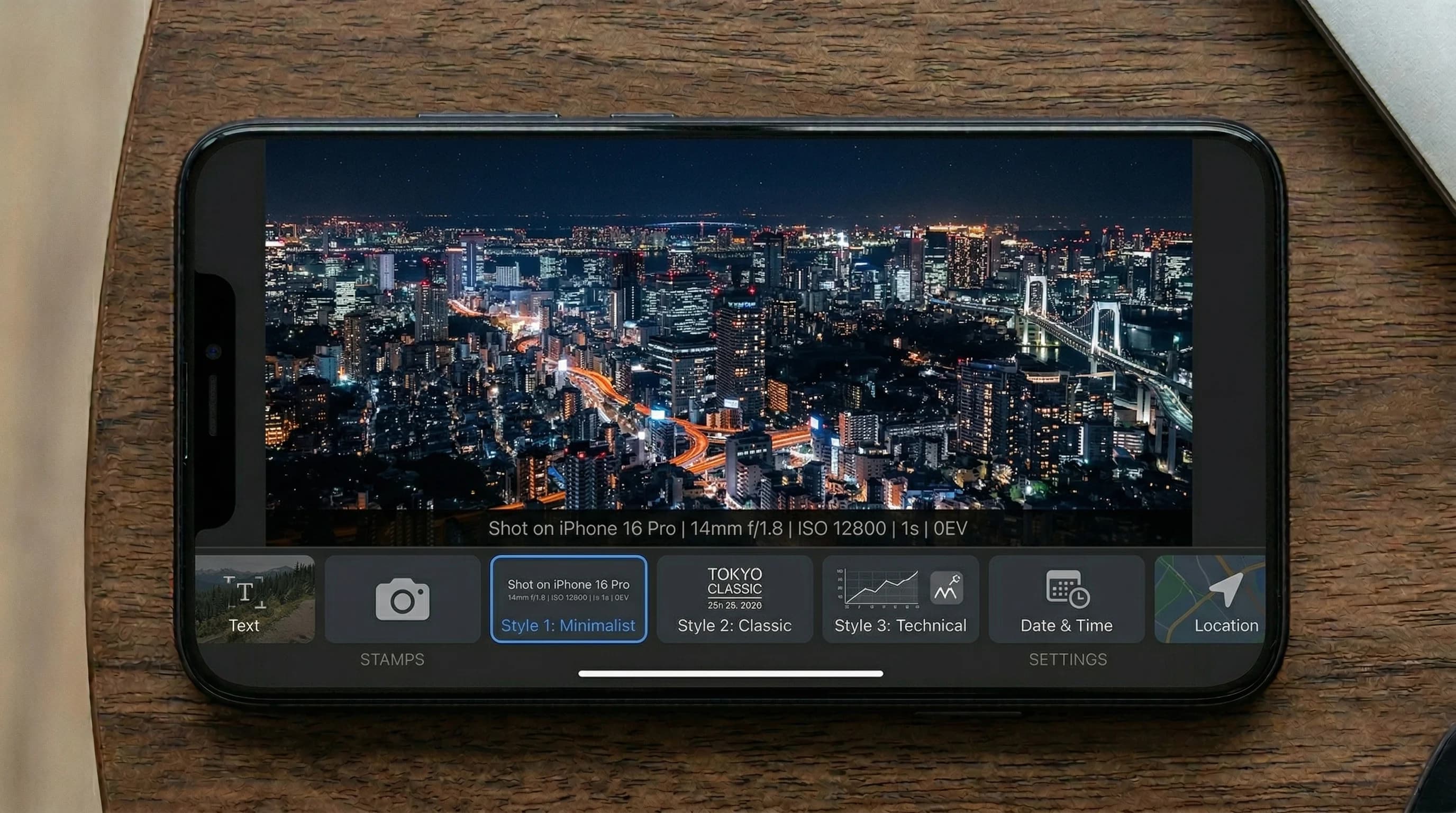
A shot on camera stamp is a small overlay added to the bottom of a photo that shows details about how the image was captured. It typically includes the device name (like “Shot on iPhone 16 Pro” or “Shot on Samsung Galaxy S25 Ultra”), along with camera settings such as aperture, shutter speed, ISO, and focal length. This trend has become hugely popular in photography communities on social media, where it adds a professional and informative touch to shared images. Our explainer on what each field in a Shot On stamp tells a reader goes through the aperture, shutter speed and ISO one at a time.
Watermark Maker reads the EXIF data embedded in your photo and pre-fills the stamp from it. The Shot On editor gives you two fields — BRAND TEXT, filled with something like “Shot on iPhone 16 Pro”, and CAMERA SPECS, filled with the focal length, aperture, shutter speed and ISO. Both are ordinary text fields, so anything the app could not read, or anything you would rather say instead, you can simply type in. Three stamp designs (Pill, Card and Bar), three positions along the bottom edge — the Bar always spans the full width, so the position setting applies to Pill and Card — and a light or dark color theme cover the styling. If your phone's camera has no stamp setting of its own, the walkthrough for Pixel, Galaxy and iPhone photos covers the after-the-fact route.
Adding a shot on camera stamp is more than just a trend. For photographers, it serves as a subtle form of attribution that travels with the image. It tells viewers what gear was used and invites conversation about technique and equipment. For smartphone manufacturers and camera enthusiasts, it is a way to showcase the capabilities of their devices.
Shot On stamps are a Premium feature. The app's free tier covers text and logo watermarks on photos, including batches of a few images at a time.
A stamp is read from one photo's own EXIF, so the Shot On tool works a photo at a time — the specs line differs from photo to photo. The stamps look clean and professional, matching the aesthetic you see from popular photography accounts, and settling on one style early is what makes a set of them look deliberate. If what you want across a whole set is a single consistent mark instead, that is what batch processing is for: it applies one text, logo or QR watermark to your whole selection in a single pass. A stamp is its own export, so if you also want a logo watermark or a text watermark on the same picture, save the stamped photo first and then run that copy through the editor. Everything happens on your device, so the originals never leave your phone. Because both stamp fields are free text, they are also where a date goes if you want one — putting a date on photos you already took covers the wording and the formats worth using.
How to Add a Shot On Camera Stamp
Tap Shot On, Pick a Photo
Tap the Shot On tile, then select any photo from your gallery. Watermark Maker automatically reads the EXIF data embedded in the image.
Generate the Stamp
Watermark Maker fills the BRAND TEXT and CAMERA SPECS fields from your photo's EXIF. Edit either one, then pick a style, position and color theme.
Save & Share
Export your stamped photo in full quality and share it to Instagram, Twitter, or your favorite photography community.
Download Watermark Maker
Add beautiful camera stamps to your photos. Available on Android and iOS.