Add Watermark to Photos — Fast & Easy
Protect your photos with custom text, logo, and QR code watermarks. Add a watermark to any photo right from your phone, without sending it anywhere.
Why Add a Watermark to Your Photos?
Every day, millions of photos are shared online without credit or permission. When you add a watermark to a photo, you create a visible layer of ownership that travels with your image wherever it goes. Whether you are a professional photographer, a real estate agent, or a content creator, watermarking is the simplest way to protect your work while still sharing it with the world. Not every photo needs one, though — see when watermarking actually helps and when it doesn't.
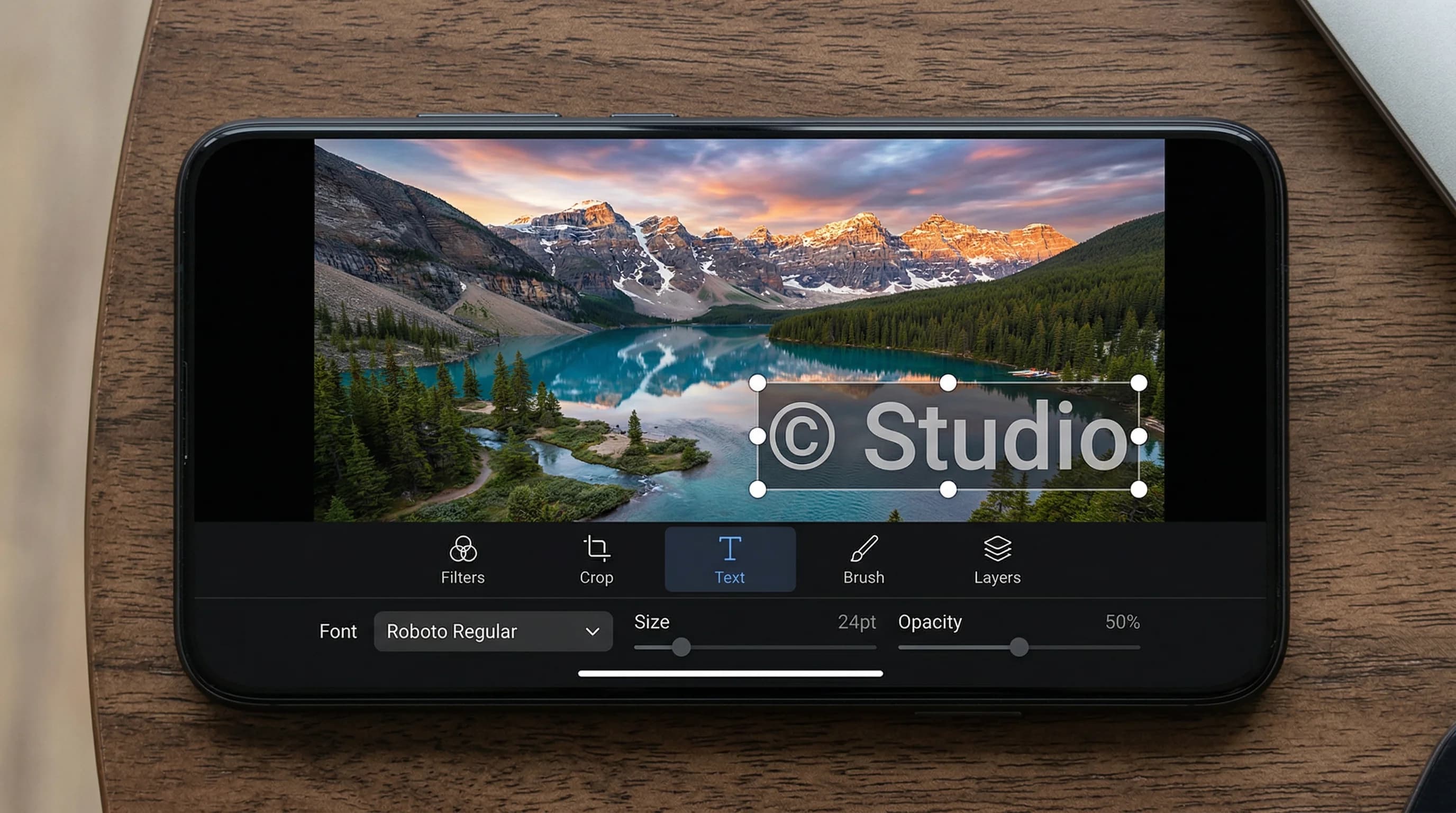
Watermark Maker lets you add a watermark to photos using text, your own logo, or even a QR code that links back to your website or portfolio — QR watermarks are a Premium feature; text and logo marks are free. A text watermark comes with 31 built-in fonts (10 free, the rest Premium), six colors, an opacity slider that starts at 60% and a scale slider that runs from 0.5x to 3x. Drop it on any of the nine position anchors, or switch from SINGLE to TILED to repeat it across the whole image. If you post to Instagram, TikTok, or YouTube, check how size and placement should change for each platform before you export.
The app runs entirely on your device, so there is no uploading, no waiting for a server, and no account to make. Your photos never leave your phone, and the export is a new file — the original is never overwritten. Watermark one image at a time, or use the batch processing feature to add the same watermark to hundreds of photos at once. The free tier covers a few photos per batch; Premium removes the cap.
The app also saves a watermark design as a named template you can reload later, and the DENSITY slider sets how tightly a tiled mark repeats. One export carries one watermark — text, logo or QR, not two at once — so if you want a logo and a line of text on the same picture, export once and run the result through the editor again. You can add a watermark to photos for social media, e-commerce listings, client proofs, or personal archives — all from one app, on both Android and iOS. On an iPhone, marking photos without rebuilding the design every time walks through Apple's built-in Markup route as well.
How to Add a Watermark to a Photo
Select Your Photos
Open Watermark Maker and tap the Image tile for one photo, or Batch to pick a set from your gallery.
Design Your Watermark
On the Text, Image or QR tab, type your text, Pick Logo to import your logo, or enter a URL. Then set SCALE, OPACITY and the position anchor — plus the font and color, which live on the Text tab.
Export & Share
Tap Export, pick Original Size or a social media preset, and the watermarked copy lands in your gallery.
Download Watermark Maker
Start protecting your photos today. Text and logo watermarks are free on Android and iOS; Premium adds QR codes, video, PDF and unlimited batches.