Should I Watermark My Photos? An Honest Answer
Should I watermark my photos? Watermarks deter casual reuse but not a determined thief. Here is when it is worth doing and what really protects your work.
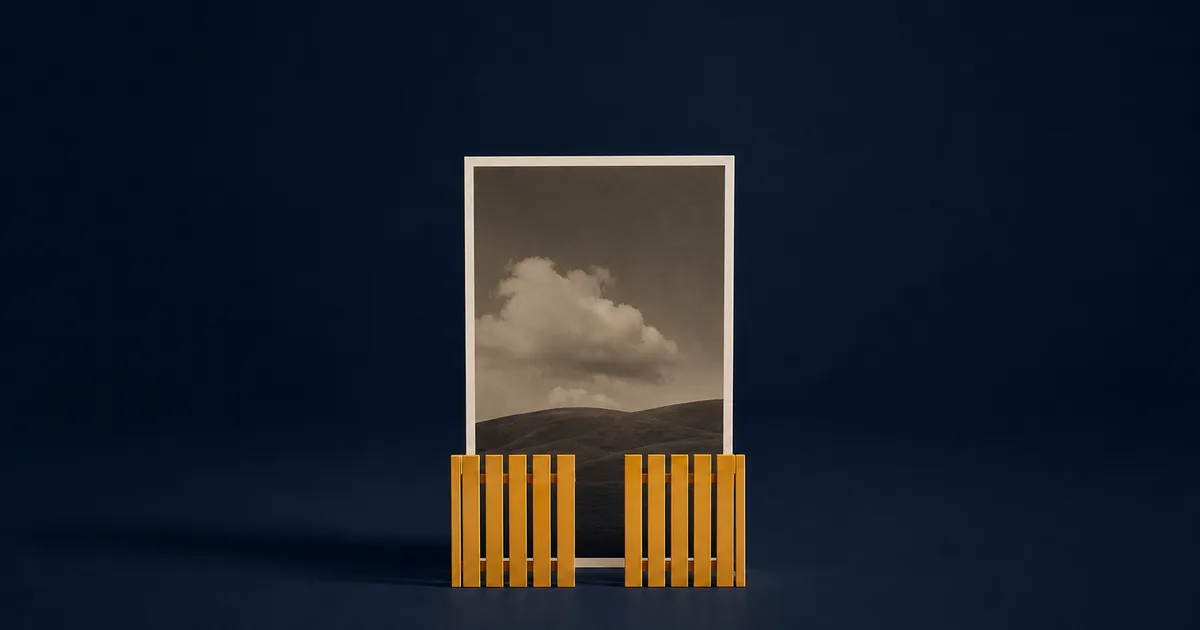
Most advice on this comes from professional photographers with a website, a client gallery and a desktop copy of Lightroom, and most of it predates 2020. If you are asking should I watermark my photos because you shoot on a phone and keep finding your work reposted with no credit, that is a different question.
Should you watermark your photos?
The useful version of the question is not whether watermarks are good, but what happens to this particular photo after you post it.
| What you are posting | Watermark? | Why |
|---|---|---|
| Your own work on social media | Yes, small and consistent | Reposts drop your handle and caption. The mark is the only credit that travels. |
| Client proofs and previews | Yes, over the frame or tiled | Here the mark is the product: a preview nobody can use as a final. |
| Product and listing photos | Yes, near the subject | Makes a scraped listing obvious to buyers and to the marketplace. |
| Real-estate listing photos | Yes | Listing images get picked up and reused by rival agents and aggregator sites. |
| Finished work delivered to a paying client | No | They paid for the photo. A mark on their print reads as an ad. |
| Photos of your family and friends | No | Nobody is stealing them, and you would be branding your own memories. |
None of it takes long — adding a watermark on a phone is a couple of taps. That is worth saying, because most arguments against watermarking assume an export preset and a laptop.
What a watermark actually stops (and what it doesn't)
A watermark does:
- Keep your name on the image after it is separated from your caption, your handle and its metadata, which is what a screenshot does.
- Make casual reuse less appealing, so the aggregator account takes the unmarked photo instead.
A watermark does not:
- Prevent downloading or screenshotting. Nothing done to a JPEG can.
- Survive a corner crop. One drag removes it.
- Survive an editor. Clone and generative-fill tools lift a mark off a flat background with very little effort.
- Stop AI scrapers. They collect the file regardless, and a model trained on marked images learns the mark too.
- Prove ownership by itself. It is supporting evidence, not a title deed.
A watermark changes the cost-benefit for a lazy reuser and nothing for a determined one. That is still worth something, because most reuse is lazy.
When watermarking is worth it — and when it isn't
The case against is made well and often: text draws the eye before the photograph does, people who want to hire you will find you anyway, and plenty of well-known photographers do not mark their work. All three land, and all three come from people who already have a name. If nobody knows yours yet, the credit is the point.
So the line falls roughly here. Mark it when the photo will be seen by people who do not already know you, or when it is going to someone who has not paid yet. Leave it clean when the work is finished and delivered, or when the mark would land on whatever made the shot worth taking.
If the answer is yes, the doing part is small. Text watermarks in Watermark Maker give you 31 built-in fonts — 10 on the free tier — plus color, scale, opacity, a nine-point position grid and tiling; logo watermarks take a transparent PNG. Both are free, as are small batches, and Premium removes that limit. Here is the step-by-step for one photo, a whole shoot at once, and — if you are stuck on what the mark should say — how to design one you will keep. It happens on the phone, so the originals you are protecting are never uploaded.
What else protects your photos besides a watermark
A watermark is one layer, and the weakest one here.
- You already own the copyright. In the US, copyright exists automatically once a work is fixed, with no registration, symbol or watermark required. Registration is what lets you enforce it in court.
- Keep the originals. A full-resolution file with EXIF intact, in your own library, is the most convincing thing you can produce if ownership is questioned.
- Post smaller. A 1080-px-wide upload looks fine on a phone and is useless as a print. Resolution is a quieter deterrent than a logo.
- Fill in the creator and copyright fields anyway. They survive on your own site and in a client's download, though not on social uploads, which is the next section.
- For AI, use a tool built for AI. People asking how to protect their art from being stolen are asking about two problems at once, and scraping is the one a watermark cannot touch. Glaze, free from a University of Chicago research team, alters pixels invisibly to disrupt style mimicry by image models. Its own FAQ is clear about the limit: it cannot undo what a model already learned from work you posted before you started.
Does posting to Instagram strip your photo's metadata?
Effectively, yes, and it is the one argument for watermarking that the old debate posts never make.
Platforms re-encode every upload, and embedded metadata does not survive the trip in a form anyone can read. The IPTC, the standards body behind the photo metadata format, tested the major social platforms in 2019 and found that Instagram displayed no embedded metadata at all, and that files saved from Facebook and Twitter came back stripped.
Your copyright field, creator name, camera data and GPS coordinates are therefore gone by the time anyone else has the file. Some of that is a privacy win. But the only ownership information surviving a repost is whatever is baked into the pixels. It is also why Shot On stamps and EXIF frames have to be made from the original file, not a copy saved off Instagram.
What to do when someone steals your photo anyway
Photo theft is usually annoying rather than catastrophic, and the order matters more than how angry you are.
- Screenshot the post first, with the URL, account name and date visible. Posts vanish the moment you complain.
- Check how far it went. Run the image through Google's search by image and TinEye. One repost and forty are different problems.
- Decide what you want: credit, removal, or payment. Pick one before you type anything.
- If credit is enough, ask for it. A short, non-hostile message requesting a tag works more often than people expect.
- If you want it down, use the form, not the comments. On Instagram that is the copyright infringement report; only the rights owner or an authorized representative can file one.
- If it is commercial use, get advice. A brand running your photo in an ad is a different conversation from a fan account, and one for a lawyer.
What to do next
Decide per photo rather than per principle. Once you know which of your shots need a mark, the step-by-step for watermarking on a phone covers the doing, how big to make it and where to put it covers the specifics, and the numbered list above covers the day someone reposts one anyway.
Frequently asked questions
- Do watermarks actually stop people stealing your photos?
- No. A watermark is a deterrent, not a lock. It makes casual reuse less appealing, because the reposter has to crop it, clone it out or go and find an unmarked photo instead, and most take the easy option. Anyone willing to open an editor gets past it. What it reliably does is keep your name on the picture.
- Do watermarks hurt engagement on Instagram?
- We could not find any published data showing a watermark changes reach, and anyone quoting you a percentage is guessing. What people do react to is a mark that covers the subject or looks like a stock-photo overlay. A small, consistent mark in a quiet part of the frame gets ignored; a large one across the middle reads as a preview.
- Does a watermark stop AI from training on my art?
- No. Scrapers collect images whether or not there is text on them, and a model trained on watermarked pictures learns the watermark along with everything else. Tools built for this work differently: Glaze, from a University of Chicago research team, alters pixels in ways people cannot see but that disrupt style mimicry. Its own FAQ is clear that it cannot undo what a model already learned from work you posted before you started.
- Where should I put a watermark so it can't just be cropped out?
- Anything can be cropped; the question is what the crop costs. A mark in a corner comes off with one drag and no loss. A mark that overlaps the subject, or a pattern tiled across the frame, cannot go without damaging the thing the person wanted. Corner marks suit finished work; tiled marks suit proofs.
- Does Instagram remove the EXIF data from my photos?
- Effectively, yes. Uploads are re-encoded, and the IPTC's 2019 test of the major social platforms found no embedded metadata left on saved files. Your GPS coordinates go with it, which is a privacy win most people want. The catch is that a photo you re-download from your own post comes back blank, so keep the original if you will ever need its camera data or copyright fields.
Start Watermarking Today
Download Watermark Maker for free on Android and iOS. Your photos never leave your phone.