Add QR Code Watermarks to Photos
Embed scannable QR codes into your images. Link viewers directly to your website, portfolio, or social media profiles.
Turn Your Watermark into a Marketing Tool
Most watermarks serve one purpose: protection. A QR code watermark does double duty — it protects your image while also driving traffic to your website, online store, social media profile, or portfolio. When someone sees your photo and wants to learn more, they simply scan the QR code with their phone camera and land exactly where you want them.
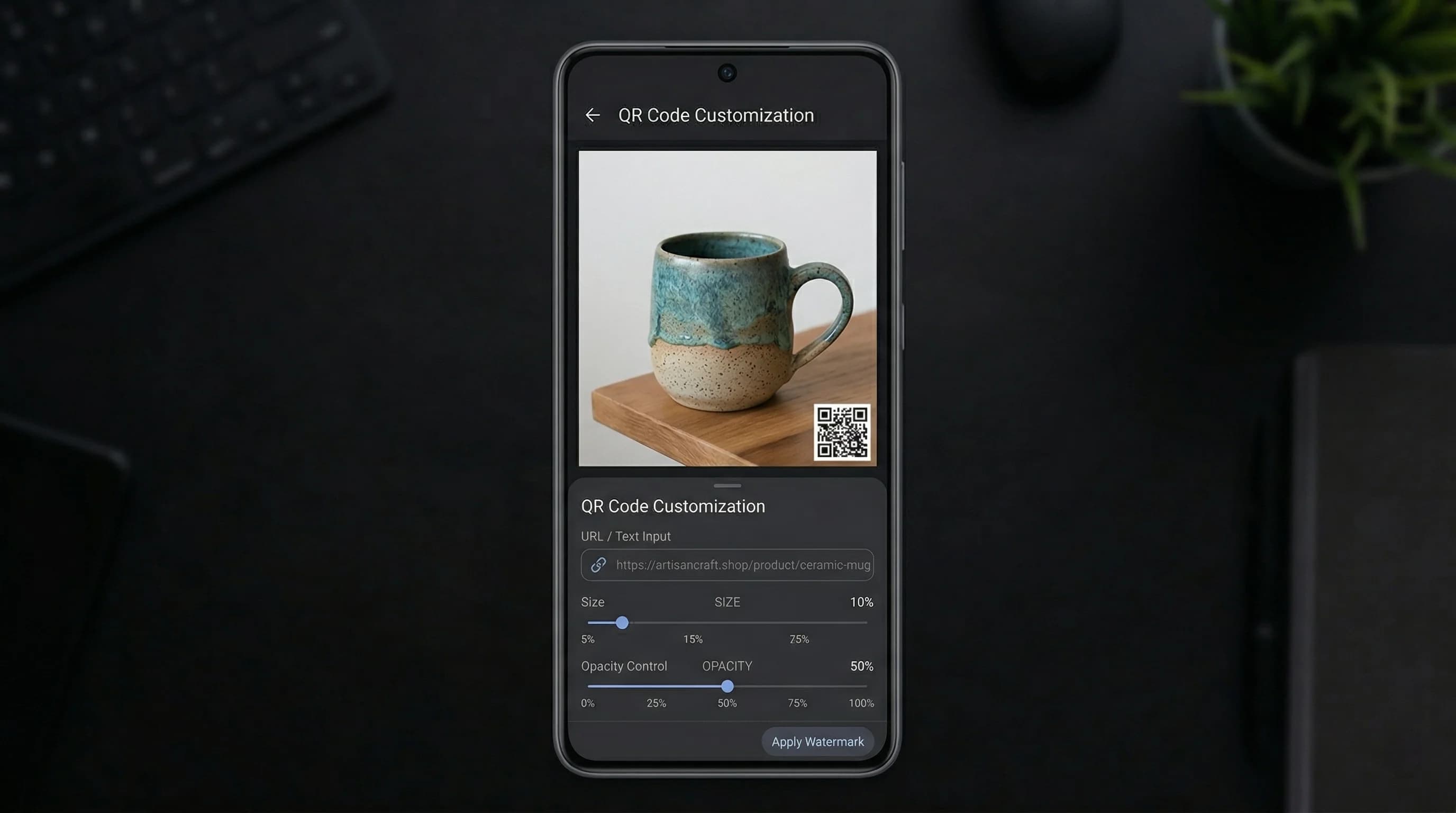
Watermark Maker generates the QR code directly in the app, as a Premium feature — the QR tab carries a padlock on the free tier, where text and logo watermarks are free. Enter any URL or line of text on that tab and it is encoded as it stands, then placed on the same nine-point grid as any other mark. Set SCALE and OPACITY to suit the photo — but keep the opacity high, because a QR code is drawn straight onto the picture with no white plate behind it, and a faint one over a busy area will not scan. Its color comes from the Text tab, which is worth setting before you switch over, since it starts out white. Place a small QR in a corner, or tile it across the image for stronger protection. Our watermark size and placement guide covers how both choices change once a platform resizes and crops the image.
QR code watermarks are especially valuable for photographers who share work on social media, where image credit is often lost as photos get saved and reposted. With a QR code embedded in the image, anyone who sees your work can immediately find you — even if the original caption or credit was removed. It is also a powerful tool for businesses, real estate agents, and event photographers who want to link directly to listings, booking pages, or full galleries.
An export carries one watermark, so a logo overlay or a text watermark on the same photo means a second pass: export the QR version, then run that copy back through the editor. Since Watermark Maker supports batch processing, you can apply the same QR code watermark to hundreds of photos at once — the free tier covers a few photos per batch, and Premium removes the cap. All processing runs locally on your device, so your images and URLs remain private. Whether you are watermarking photos for protection or promotion, a QR code watermark is one of the smartest approaches available.
How to Add a QR Code Watermark
Enter Your URL
Open Watermark Maker and pick your photo, then switch to the QR tab in the editor and paste the link to your website, portfolio, or social profile.
Position the QR Code
Tap one of the nine position anchors to place the QR code, then set SCALE and OPACITY. Keep the opacity high and pick a plain part of the image, or a scanner may not read it.
Export & Promote
Tap Export and the watermarked copy goes to your gallery. Scan it yourself once before you post it.
Download Watermark Maker
Watermark and promote with QR codes. Download free on Android and iOS; QR code watermarks are part of Premium.